DIMMER
A downloadable tool for Windows
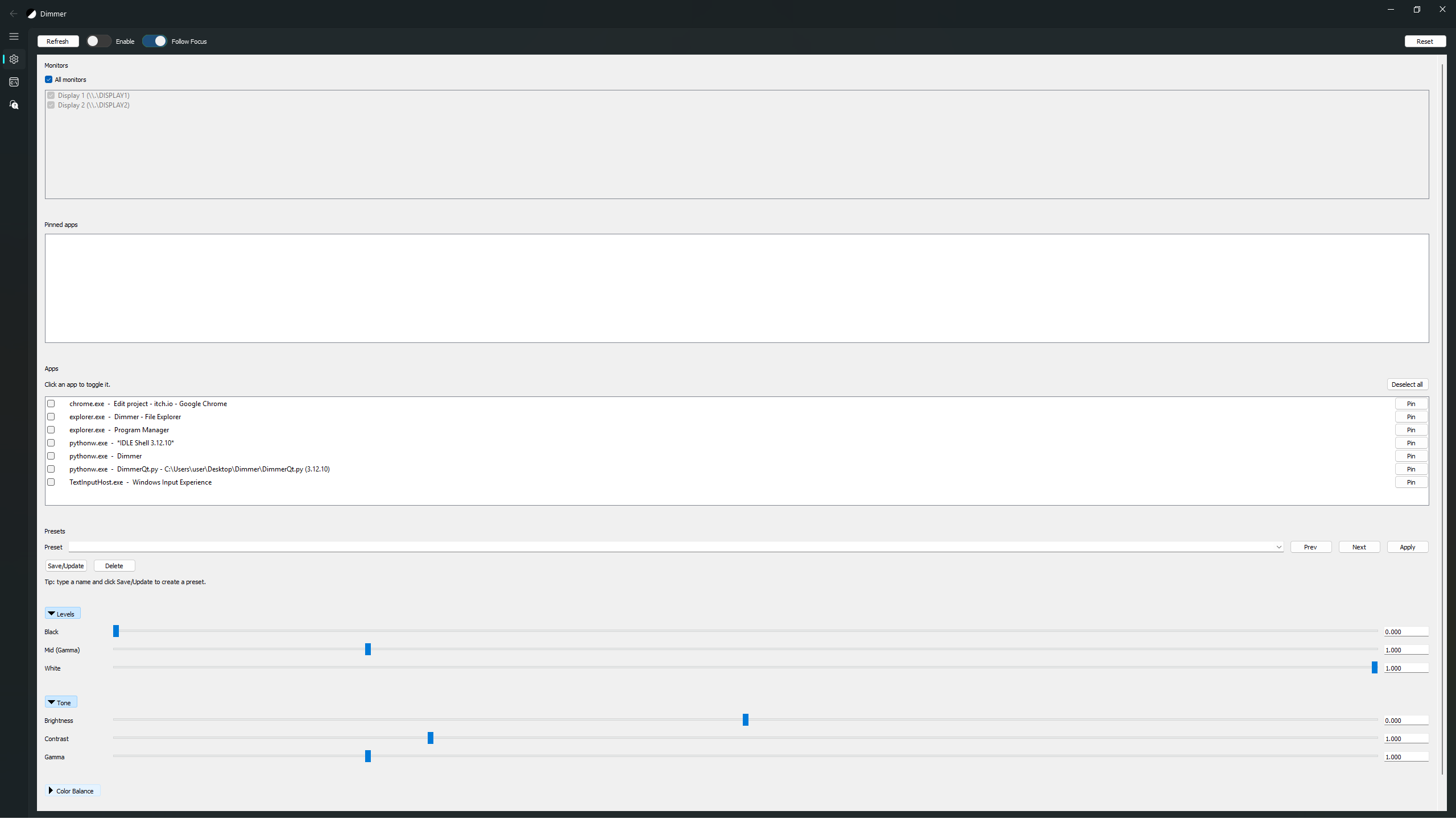
Dimmer lets you adjust brightness, contrast, gamma, and color balance per monitor or per app, then toggle the effect instantly with global hotkeys.
Use it to lift shadow detail in dark games, reduce glare, or dial in a comfortable look without touching your GPU control panel. It's not a filter, doesn't reduce FPS.
It supports presets (save and swap profiles), a Guide tab with setup tips, and per‑row pin/unpin for quick app targeting. Also supports AdaptiveTone that adjusts gamma/brightness/contrast on the fly without manual tuning.
Portable and lightweight.
Download
Install instructions
1. Download the ZIP and extract it anywhere (portable).
2. Run Dimmer.exe.
3. The app will create presets.json and settings.json next to the EXE after first run. Keep them if you want your presets/hotkeys saved.
4. If Windows SmartScreen appears: click “More info” → “Run anyway”.
Development log
- Dimmer 0.2Jan 28, 2026
Comments
Log in with itch.io to leave a comment.
Not the prettiest UI but this tool has some features that other free brightness software lacks that I can appreciate. Thanks for sharing it.